


This is a guide for my sister and my friends who don't know how to
be internet pirates yet.
This is for absolute beginners, and will hold your hand through the
process that will free you from not being able to find that movie,
paying for subscriptions etc.
I encourage you to donate to or otherwise find a way to pay
independent filmmakers or authors if you rip their stuff.
VPN
Just the Instructions:
Go to mullvad.net, set up an account, pay for it, or ask to share a friends' account,download the program and set it up. Make sure it runs on startup on your computer so it's not off by mistake while pirating.
There's not really free VPNs.
some countries don't have laws around torrenting copyrighted material. Do your research, you might not need this.

what the hell even is a vpn? (click)
When you connect to the internet, your computer uses something called an "IP" address (internet protocol address). It is simlar to a phone number, and is connected to your internet provider and your identity.
In the USA, when you pay for internet and install a router in your house, the internet companies assign your house an IP address, similar to how getting a phone plan would give you a phone number. Similar to phone numbers, the internet company is watching who you're talking to and even sometimes the content of the data packets you're sending, and using this to sell data and inform on you to the drooling simpletons at the department of "homeland security".
You can easily check your public ip with something like this: iplocation.io. As you can see, it is associated with a whole bunch of data about you, and ultimately is tied back to your internet provider, who at the end of the day is able to monitor and manage this IP address.
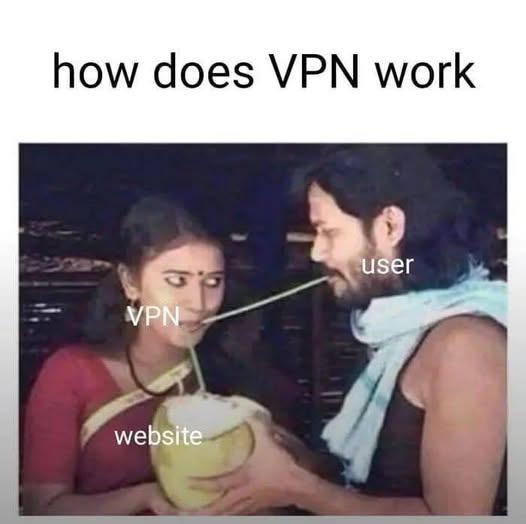
A VPN ("Virtual Private Network") is a super simple service that allows you to access the internet through a different computer, as if you were somewhere else. To your internet provider, you're just talking gibberish to a single computer. To all the sites you visit, you're a faceless industrial server (fancy computer), and not someone with an advertising ID and FBI file.
All it does is send all your internet traffic through another computer, so there's no record of your IP address doing stuff online, and encrypts the traffic so your provider can't see what you're up to.
So when you go on iplocation.io, instead of looking like:
"Samantha Sneakers from Orlando Florida, on IP address 134.23.12.14, provided by verizon"you look like:
"random mega server farm in Sweden, associated with Mullvad VPN company."
To your Internet Service Provider (ISP), you aren't talking to
a million different shady websites. Instead, you're just
constantly talking to that computer in Sweden.
Plus, you're talking in secret code, so they have no idea what
you're talking about.
The one downside is that some sites flag you as a bot, and you might have to fill out more things to identify that you're not a robot.
why do I do need one to be a pirate?
When your internet provider sees you connecting to websites and IP addresses associated with piracy, it will get mad, send warning letters, and eventually turn off your internet. Simple as. In the US, that's typically as bad as it gets.
That's why you need to download a VPN on your computer, pay for the service, and make sure it's ALWAYS ON when you're doing any kind of pirating. I've gotten warning letters from accidentally doing this stuff without the VPN on.
how do I set up a VPN?
Go to mullvad.net and download the program and set it up. Make sure it runs on startup on your computer so it's not off by mistake while pirating.
torrenting

Just the Instructions:
-
download qbittorrent from
qbittorrent.org's
official sourceforge
and ONLY TURN IT ON WHEN YOUR VPN IS ALSO ON.
(click me)
OR, run the following in terminal (just open "windows terminal" and copy paste this in there:
winget install -e --id qbittorrent.qbittorrent
-
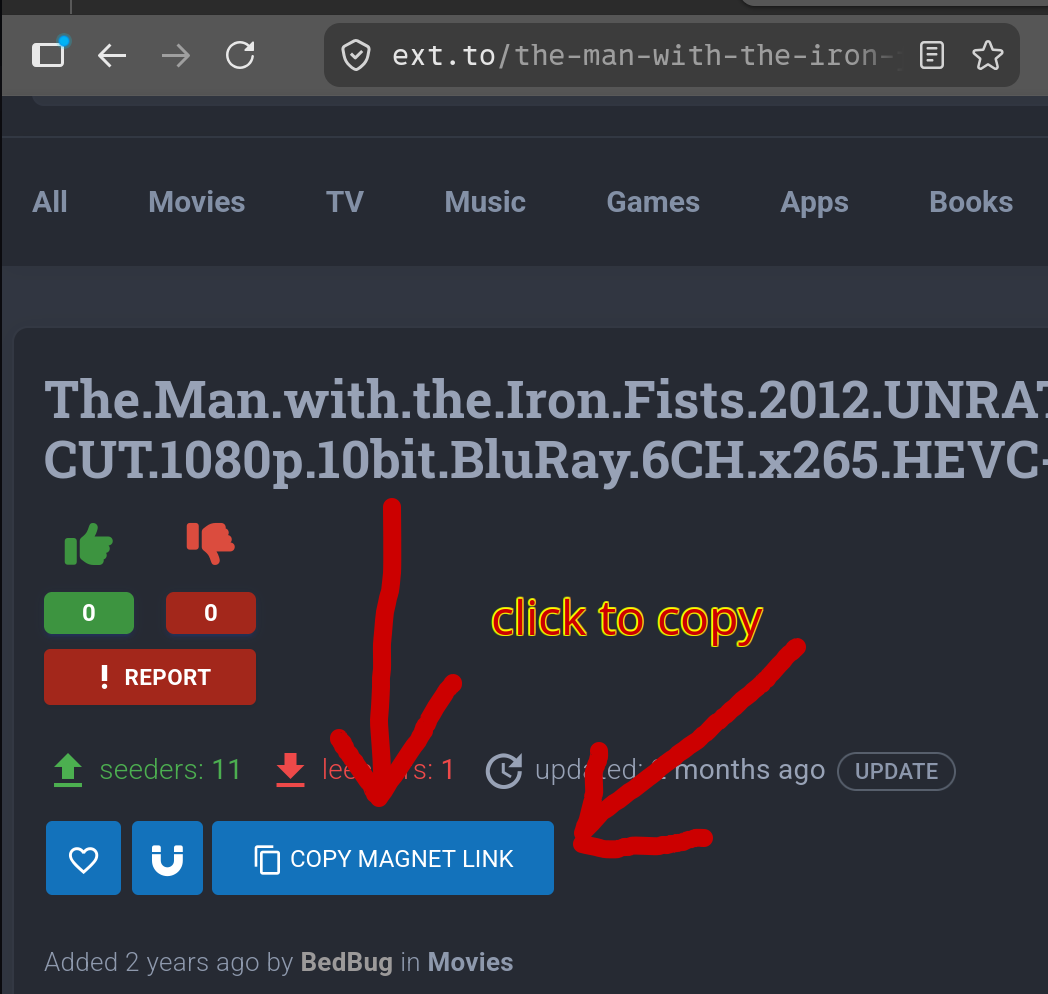
copy a torrent link using the "magnet link" from a site like
ext.to
(show me)
-
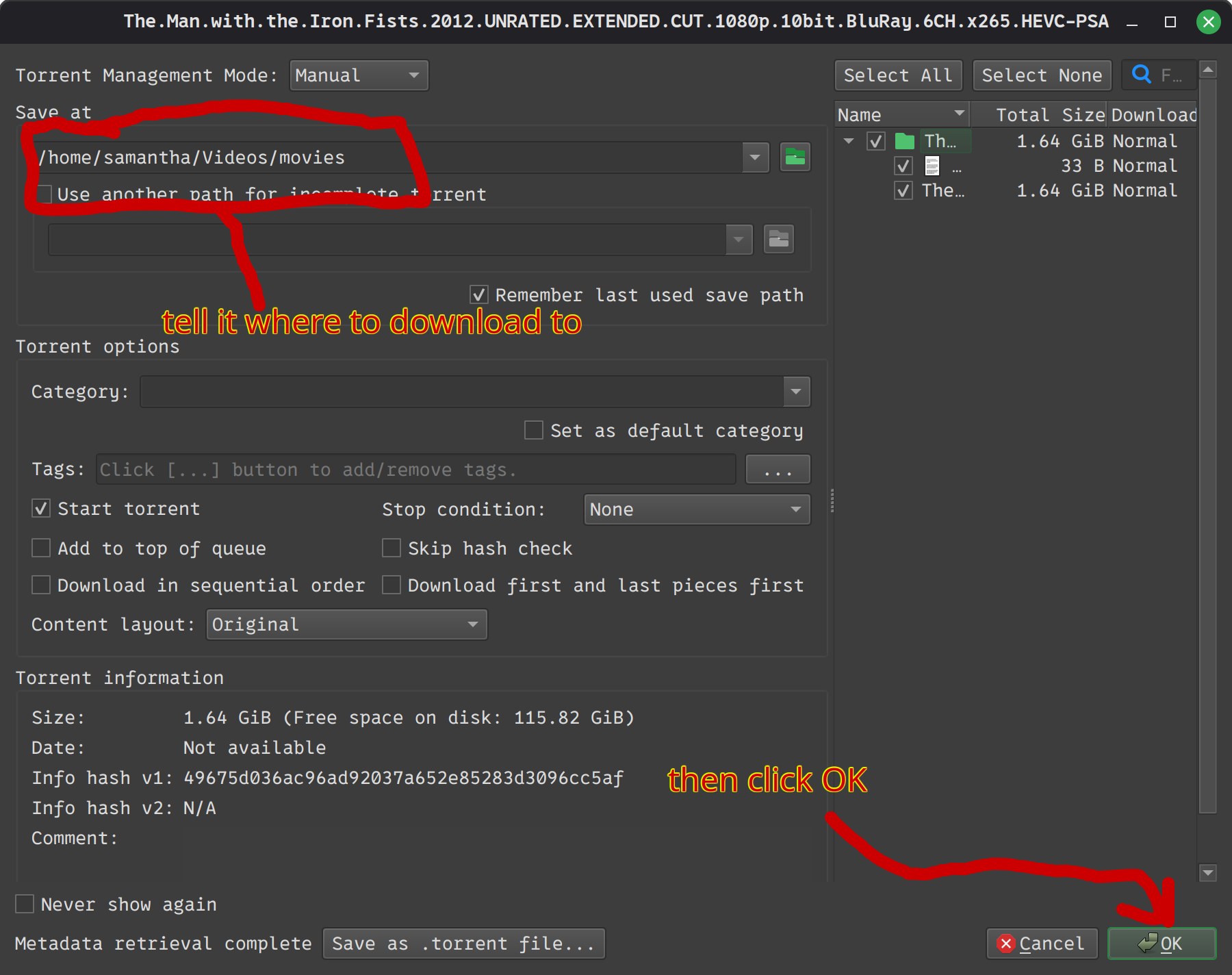
click "add torrent" and paste the link. It should start
downloading to the folder you chose in the add torrent window.
(show me)


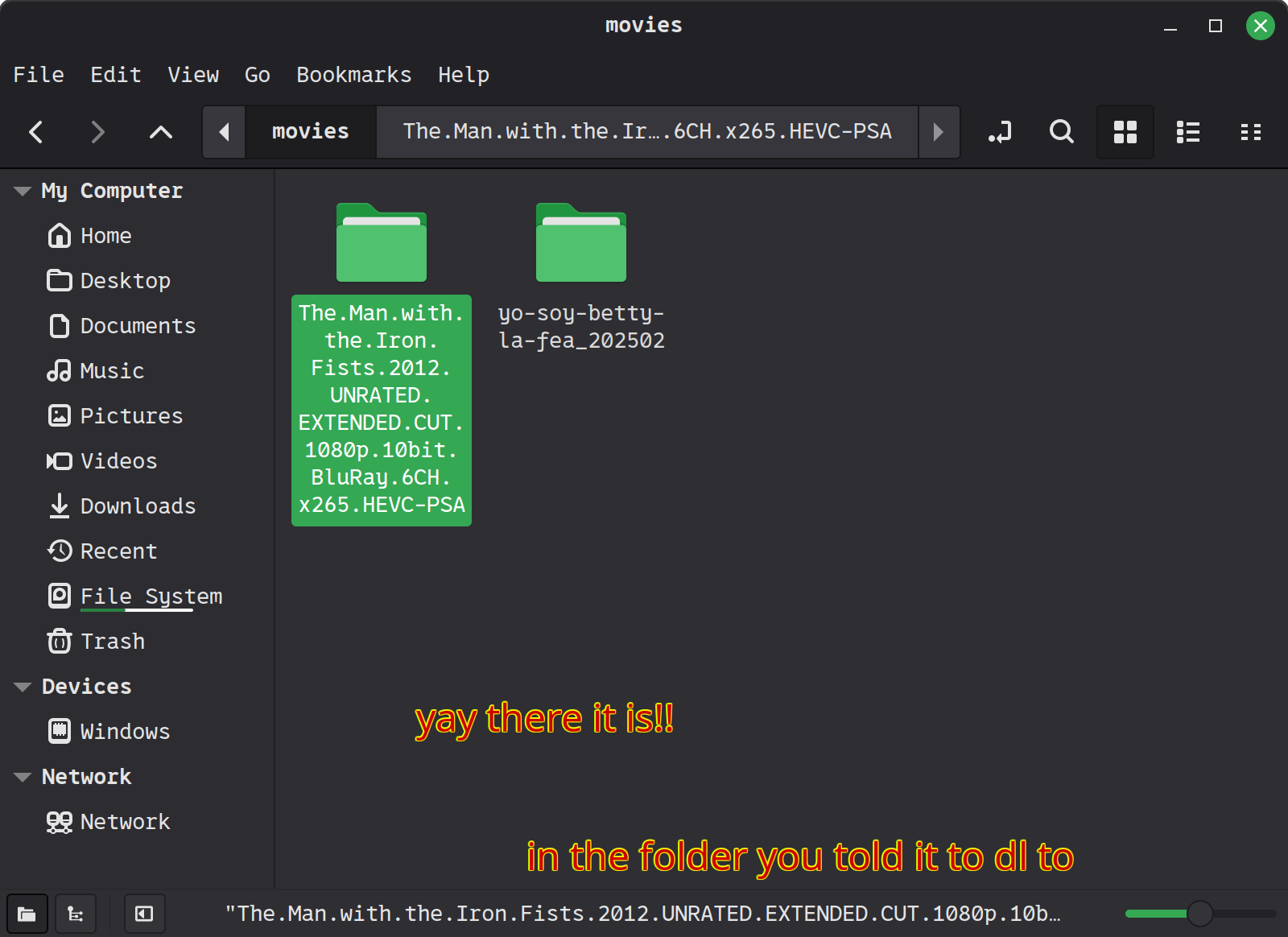
- If possible, KEEP QBITTORRENT ON AND RUNNING as long as possible!!!!!! EVEN IF IT'S DONE DOWNLOADING. Torrenting only works by everyone leaving qbittorrent ON on their computer, which allows people to access the file via the thousands of other people who also downloaded it.
-
optional advanced step:
bind qbittorrent to your vpn interface so that your torrent client can't talk without using the vpn. Prevents accidentally having vpn shut off and causing your ISP to get mad at you.
follow instructions hereIf you don't do this, you just need to be more careful about manually making sure your vpn is on

what the hell even is torrenting? (click)
There's a saying that "the internet is just a computer somewhere else." This is true. When you go to to netflix.com and watch a movie, you're just asking the computer ("server") associated with netflix.com for the movie file you want. Netflix does this with a locked down file type, in pieces.
Torrenting is a system where everyone who has the file for the video can share it with anyone who wants it. If I have lilo_and_stich.mp4, and you want it, all you need is something called a"magnet link"that corresponds to that file.
The magnet link points to a "tracker" server, which initiates a connection between our personal computers. As long as my torrent client (qbittorrent) is running, and so is yours, it'll send lilo_and_stich.mp4 over to you no problem.
The more people that have the file and have their torrent client open, the faster it is to download. It'll take pieces of the file from all the people who have it order to minimize the impact on any one person with the file ("seeder"). When your file is done downloading, it will transition to "seeding." Which is just sharing the file with other people who might want it.
That's why it's important to LEAVE YOUR TORRENT CLIENT OPEN!! It benefits other people by allowing them to more easily access the file. It's a big circle of love and sharing :)
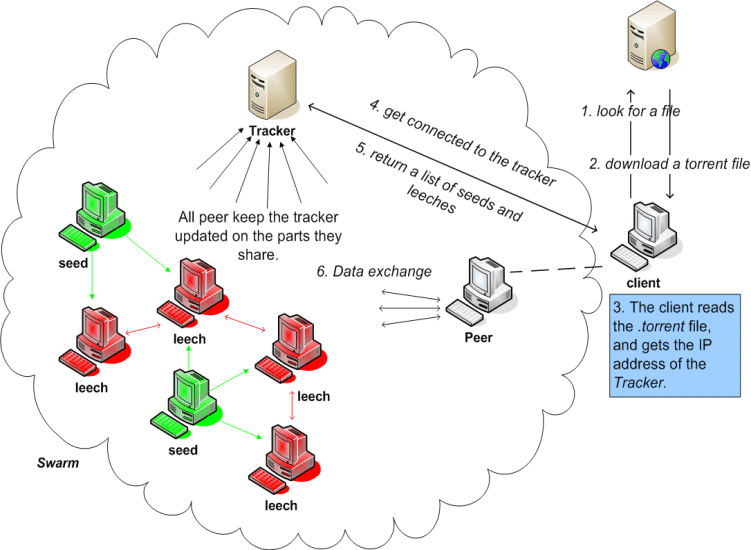
don't worry about figuring out the graph, but it's just saying that you're talking to all your buddies to get the file pieces, and it uses a server to know who to talk to in the first place.
where to find torrent links for the stuff you want
-
ext.to

ext.to is my go-to, it's a torrent search engine that combines a bunch of different sites.
-
The Pirate Bay

Pirate Bay is a classic and well loved torrent site that's been around for ages.
-
RUTracker

trusted russian website with excellent access to most movies and shows. Just turn translate on.
-
archive.org

Archive.org is a project to try to hold on to the actually valuable stuff on the internet and allow free access to it all.
-
myanonamouse

Myanonamouse is the best place to get audiobooks online. you need to sign up and they have strict rules to make sure everyone's seeding.
-
Private Trackers
(such as Myanonamouse) are sites that you have to log in to, and keep up a good ratio of seeding (keeping your qbittorrent on) to leeching (downloading).
These typlically have very well-vetted files and good availability for hard-to find stuff.
- here's a random list of private tracker sites
- FMHY's torrent site list
jellyfin

Jellyfin is the program that allows you to play your files back in a cute website like how netflix does instead of opening files on your computer directly.
just the instructions:
-
download Jellyfin from:here.
-
run jellyfin. It will open up a website at localhost:8096. If you ever lose track of it, just type that in, and it'll take you to where jellyfin is.
- Follow the setup instructions and point it to the folder where all your movies are!
-
here's how to make it look for more movies if it doesn't see what you added
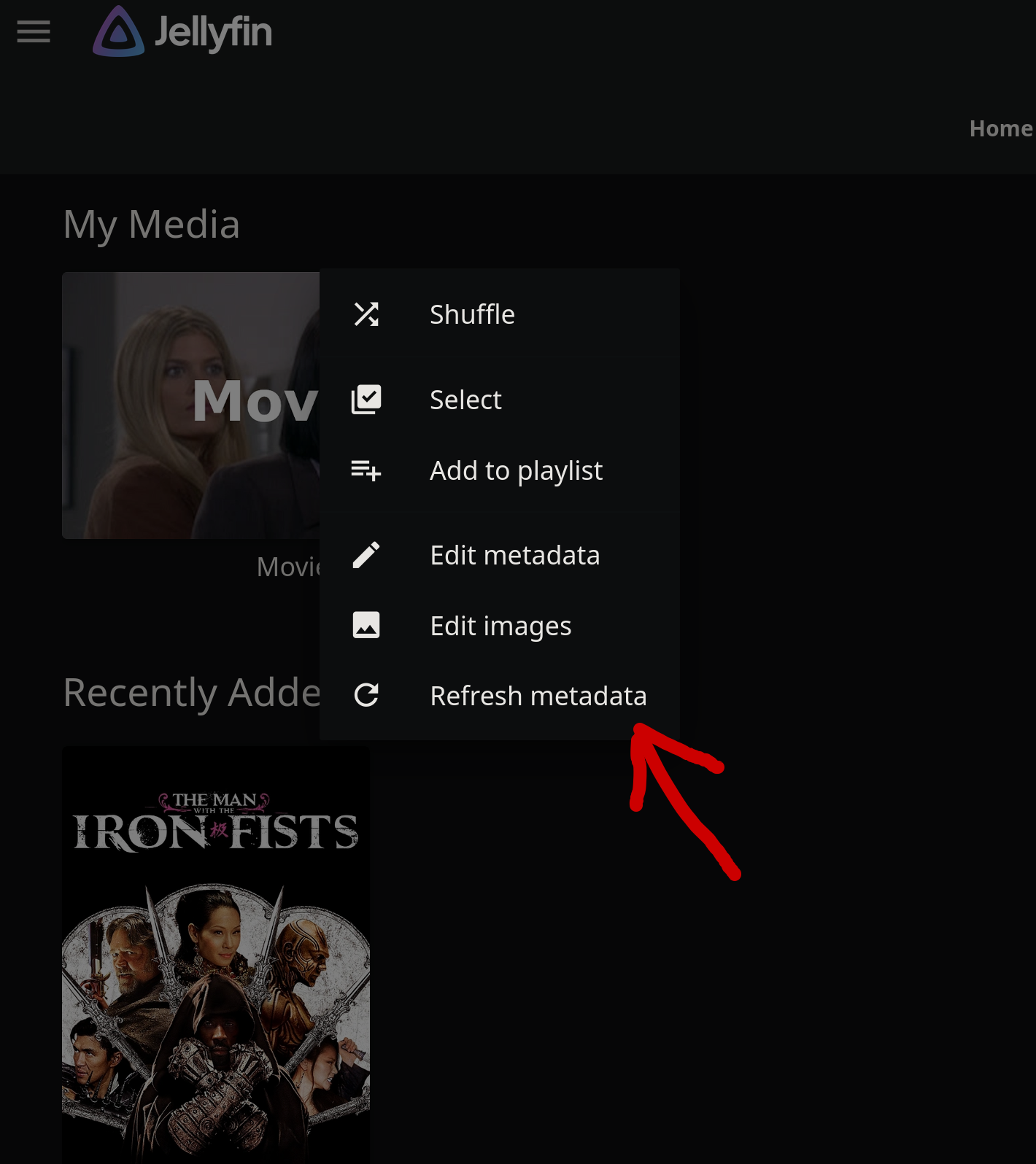
how to access from a different computer or your phone etc

the "localhost" address doesn't work unless you're on the same computer that jellyfin is running on. localhost:8096 To access from another computer or phone, you need to be on your home wifi network for now.
You also need to figure out what your local IP address is for the computer running jellyfin.
Your "home" IP address, also called the LAN IP address (Local Area Network) is the number that your wifi router uses to identify all the computers and phones in your house.
If you want to watch your movies from another device (for example a TV in your house or your phone while connected to home wifi), all you have to do is open Jellyfin on the jellyfin app on your TV or phone and enter that local address followed by :8096
how to find my local IP address and access movies from any device?
-
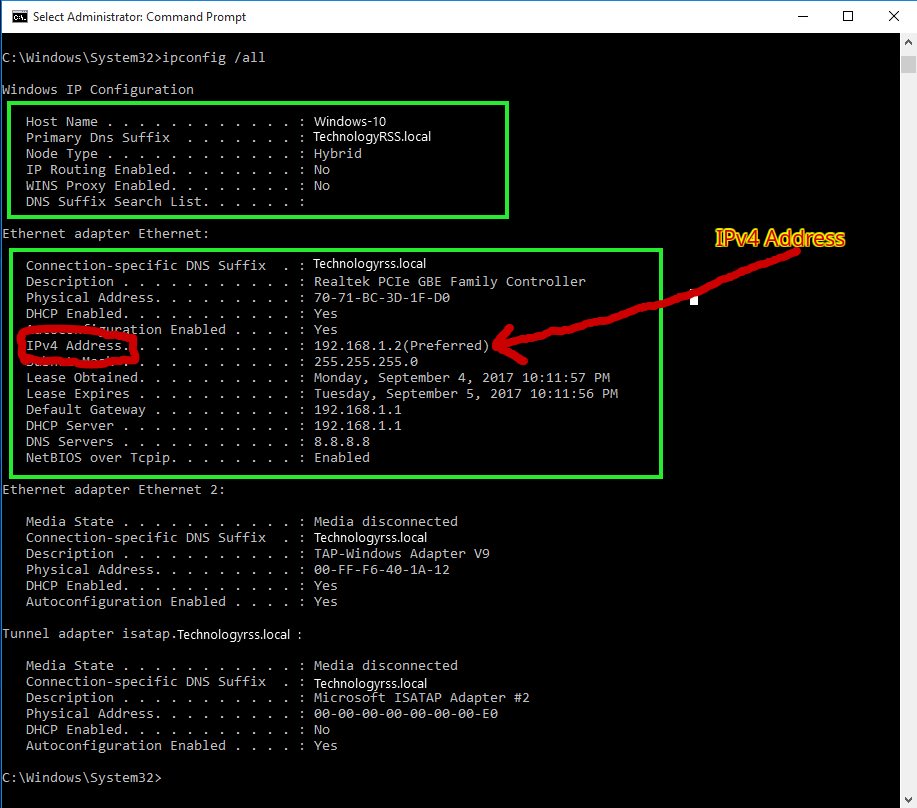
On Windows, open the Terminal, and type ipconfig. The number you're looking for is gonna be under some sort of "adapter." and will be the entry that says:
IPV4 Address..........show me!
In this case, the LAN/local IP address is 192.168.1.2
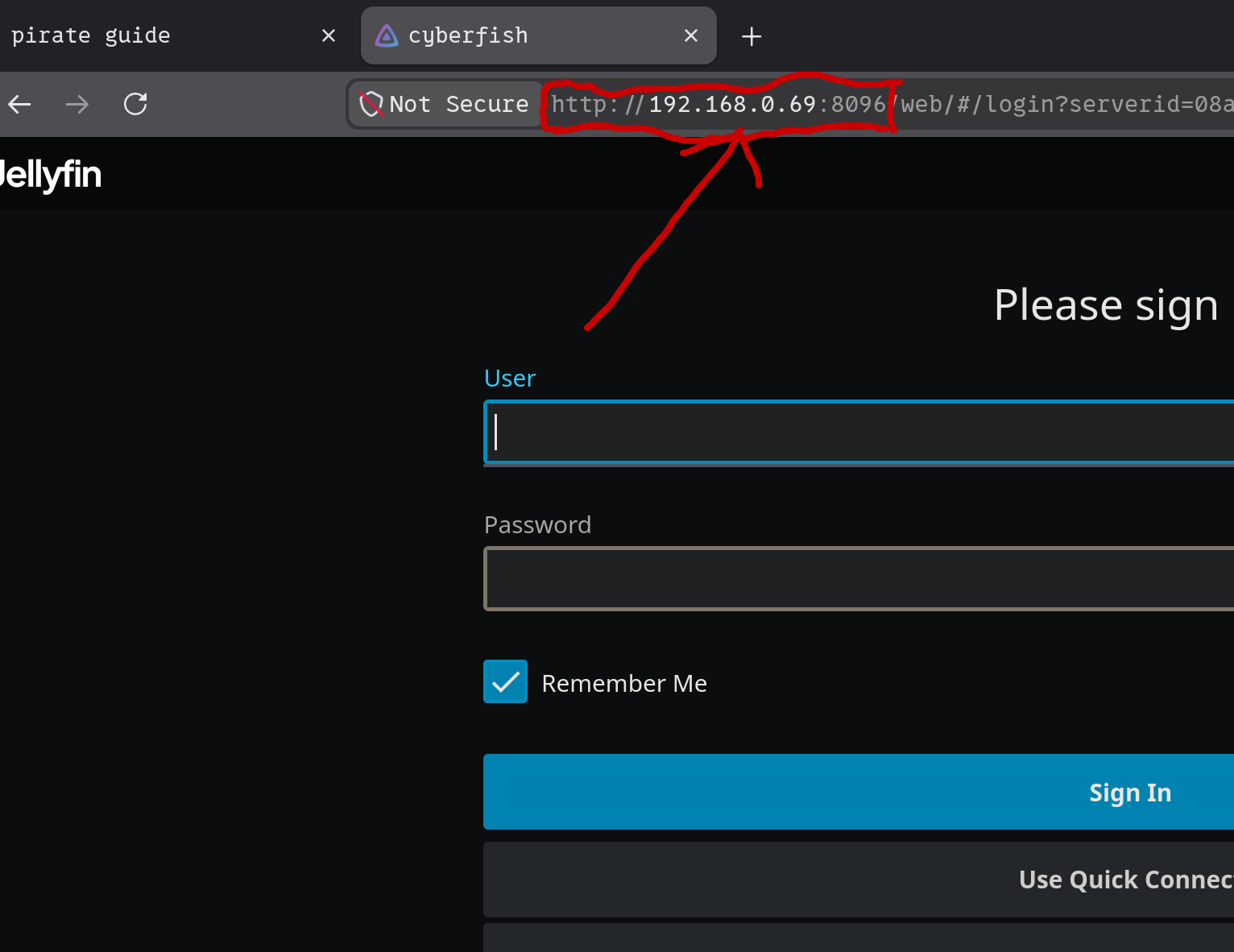
To access jellyfin in this case, you'd just go to your browser and type in 192.168.1.2:8096
-
Then, access Jellyfin from any device connected to the same wifi network by going to your_LAN_ip:8096
show me!
BONUS NERD POINTS/ further reading:


If you got all this working and thought it was really easy, you should consider learning these things to up your game to the next level. In order of difficulty.
-
Tailscale Tailscale allows you to access your services from anywhere. It's free, and is sort of the secret to self-hosting all kinds of stuff in a more accessible way.
-
Arr services These are programs that automatically hunt down movies, shows, and music for you, making it unneccessary to manually find magnet links.
-
Docker Docker is the key to self-hosting in a more professional/low maintenance way. You can make tailscale, qbittorrent, VPN services, and all kinds of other stuff run automatically in the background reliably.
Combine with Dockge for super easy setup of self-hosted stuff.
I'm going to publish a self-hosting guide with basic docker setup soon.